


How to Fulfill Light Box Orders Easily with a 2513 UV Flatbed Printer
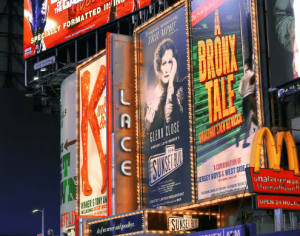
Light box advertising is one of the most common and practical applications in the signage industry. From retail stores and shopping malls to restaurants, metro stations, exhibition booths and brand showrooms, light boxes are widely used because they make graphics brighter, cleaner and more eye-catching.
For advertising companies and print shops, light box orders can become a steady source of business. However, customers often care about three things: image clarity, color performance and delivery efficiency. To complete these orders more easily, a stable large-format printing solution is essential.
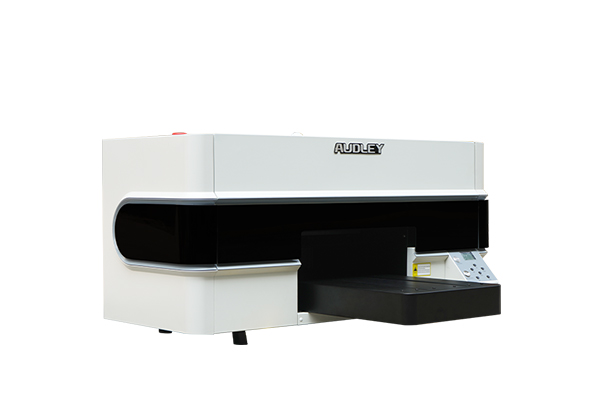
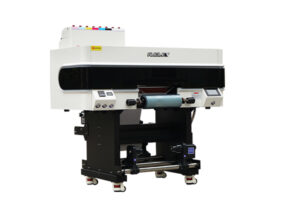
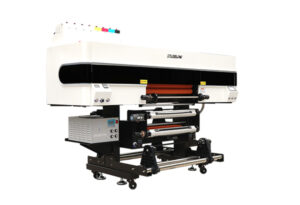
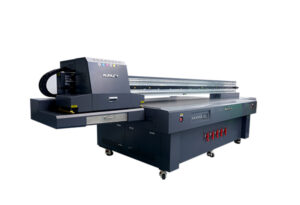
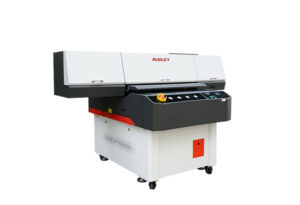
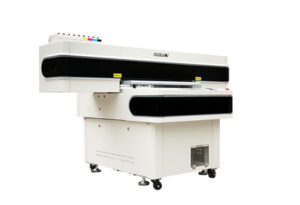
The AUDLEY 2513 UV flatbed printer provides a practical way to produce high-quality light box graphics. With direct printing capability, accurate image output and wide material compatibility, it helps print businesses complete light box projects from design to finished display with fewer production steps.

1. Why Light Box Printing Is a Valuable Advertising Application
Light boxes are popular because they combine printed graphics with illumination. Compared with ordinary posters, a light box can make the image more visible, especially in indoor commercial spaces or low-light environments.
Common light box applications include:
- Retail store displays
- Restaurant menu boards
- Shopping mall advertising
- Exhibition booth signs
- Airport and metro advertising
- Brand display walls
- Chain store promotional graphics
For print service providers, these applications are valuable because customers often need repeated updates for seasonal promotions, new product launches, brand campaigns and store decoration projects.
A single store may need several light boxes in different sizes. A chain brand may need dozens or even hundreds of replacement graphics. This means light box printing can bring both one-time orders and repeat business.
2. Step One: Print Light Box Graphics with a 2513 UV Flatbed Printer
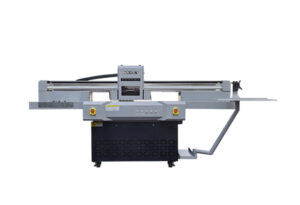
The first step is to print the light box graphic accurately. A 2513-class UV flatbed printer is commonly used for large-format rigid material printing, with a working area around 2500 mm × 1300 mm depending on the specific configuration. This size is suitable for many advertising panels, display boards and light box graphic materials.
With the AUDLEY 2513 UV flatbed printer, users can print directly on suitable rigid or flat materials used for advertising display. UV printing helps create sharp details, stable color layers and clean image edges. For light box graphics, this is important because the final image will be viewed with backlighting.
When the light is turned on, weak color, uneven ink coverage or poor image resolution can become more obvious. A stable UV flatbed printing process helps reduce these problems and makes the finished display look more professional.
For advertising production, the 2513 UV flatbed printer is suitable for medium and large graphic output. It allows print shops to handle not only light box graphics, but also signs, display panels, acrylic boards, PVC boards, decorative panels and customized advertising materials.
3. Step Two: Install the Printed Graphic into the Light Box Frame
After printing, the next step is installation. The printed graphic needs to be placed neatly into the light box frame. This step affects the final visual effect as much as the printing process.
Before installation, operators should check the printed panel size, edge alignment and surface cleanliness. The graphic should fit the frame properly without bending, shifting or leaving visible gaps. If the light box uses a removable front cover, the printed image can be inserted and fixed carefully inside the frame.
For professional production, accuracy matters. If the printed graphic is too small, the frame edge may show empty areas. If it is too large, the material may warp or be difficult to install. That is why stable printing size and correct file preparation are important before production.
A good workflow usually includes:
- Confirming the final light box size
- Preparing the print file with correct bleed
- Printing the image with accurate dimensions
- Checking the color and surface quality
- Installing the graphic into the frame
- Testing the light box before delivery
This process helps print shops reduce rework and improve delivery efficiency.
4. Step Three: Power On the Light Box and Show the Final Effect
The final step is simple but important: power on the light box and check the display effect.
Once illuminated, the printed graphic should show clear details, smooth color transitions and strong visual impact. The light should pass through or reflect evenly according to the light box structure and material. If the printing quality is stable, the final display can look bright, clean and professional.
This step is also useful for customer presentation. When customers see the finished light box turned on, they can immediately understand the value of high-quality printing. The illuminated effect makes the product more attractive than a flat printed sample.
For advertising shops, this kind of visual demonstration can help improve customer confidence. It also makes it easier to promote additional services such as store signs, menu boards, promotional displays and custom brand decoration.
5. More Advertising Orders with One UV Flatbed Printer
A 2513 UV flatbed printer is not limited to light box graphics. For a print shop, the real value is application expansion.
With one machine, businesses can develop more advertising and customization orders, such as:
- Acrylic signs
- PVC display boards
- KT boards
- Indoor decoration panels
- Exhibition graphics
- Directional signs
- Promotional display boards
- Retail store advertising materials
This is especially useful for companies that want to serve commercial customers. Many clients do not only need one product. A retail store may need light boxes, wall signs, countertop displays and promotional boards at the same time. A UV flatbed printer allows print shops to offer a more complete advertising solution.
For new businesses, this can also reduce equipment investment pressure. Instead of buying separate machines for different rigid material applications, a suitable UV flatbed printer can support multiple product categories.
6. Why Choose AUDLEY 2513 UV Flatbed Printer for Light Box Applications
AUDLEY focuses on digital printing equipment and practical printing solutions for global customers. The 2513 UV flatbed printer is designed for advertising production, rigid material printing and customized display applications.
For light box orders, customers need a machine that can provide stable printing performance, accurate output and reliable production efficiency. AUDLEY helps customers choose suitable configurations based on their materials, product size and target applications.
If your business wants to produce light box graphics, advertising signs, display panels or customized commercial decoration products, the AUDLEY 2513 UV flatbed printer can be a practical production solution.
Not sure whether your material is suitable for UV printing? Send us your material type, light box size, expected printing effect and daily production needs. AUDLEY will recommend a suitable UV flatbed printing solution for your business.
FAQ
Can a UV flatbed printer print light box graphics?
Yes. A UV flatbed printer can be used for light box graphic production when the material and printing process are suitable for the final display effect.
Why use a 2513 UV flatbed printer for light box orders?
A 2513 UV flatbed printer offers a large working area, making it suitable for many advertising panels, display boards and light box graphic applications.
What should I check before installing printed graphics into a light box?
You should check the graphic size, edge alignment, surface cleanliness, color output and frame fitting before final installation.
Can one UV flatbed printer support other advertising products?
Yes. Besides light box graphics, a UV flatbed printer can also produce acrylic signs, PVC boards, display panels, exhibition graphics and customized advertising materials.
How can I choose the right UV flatbed printer?
You can provide your material, product size, printing effect requirements and daily production volume. AUDLEY can recommend a suitable printer configuration based on your application.