





A plate is not always perfectly flat. Its surface may have raised sections, curved edges, or different levels that make accurate printing more challenging. For printing businesses, these products can be difficult to handle with a conventional setup, especially when the design needs to follow a specific position on the surface.
So, what happens when a customer brings you a plate with noticeable height differences and asks for a clear, accurately positioned design?
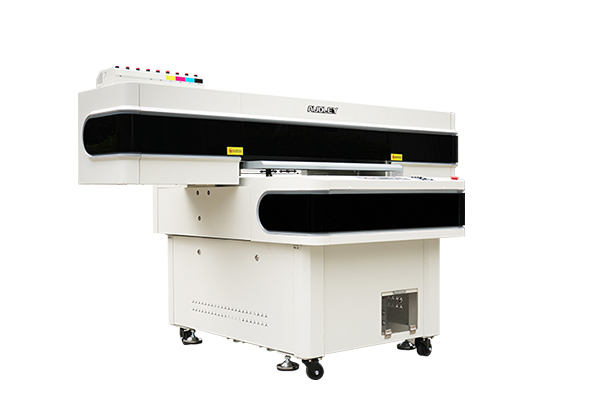
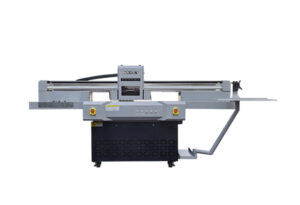
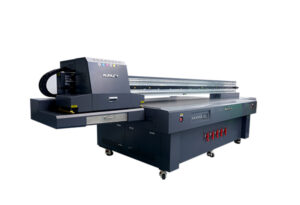
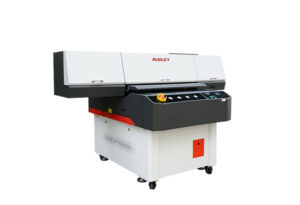
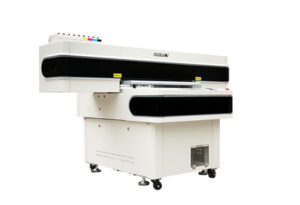
With a suitable high-gap printing setup and a visual positioning workflow, the AUDLEY 2513 UV flatbed printer can help businesses explore these more challenging customization jobs. Instead of turning away unusual orders, print shops can investigate new applications and expand their service offerings.

1. What If the Plate Is Not Flat?
In personalized product printing, not every item has a uniform surface. Decorative plates, promotional products, customized gift items, and specially shaped objects may have raised areas or uneven profiles.
These differences can make printing more complicated. If the printhead-to-surface distance is unsuitable, print quality may suffer. If the artwork is incorrectly aligned, the design may overlap an edge or miss its intended position.
For printing businesses, the challenge is not simply putting ink on an object. It is producing a result that looks professional while keeping the workflow manageable.
Consider a customer who wants a colorful design printed on a plate with a raised section. A standard flat-product workflow may not be sufficient. The operator needs to evaluate the surface, confirm the available printing clearance, position the artwork, and choose an appropriate printing setup.
This is where a suitable UV flatbed printing solution can make a difference.
2. Start by Scanning and Locating the Plate
Accurate positioning is an important part of printing on irregular products.
With a visual positioning workflow, the operator places the plate on the printing platform and uses the scanning system to help identify its position. The digital artwork can then be aligned with the target printing area before production begins.
This approach can reduce the need for repeated manual measurements, particularly when an order includes multiple products or items that are not identical.
For example, a customization shop may receive several plates with different shapes or positioning requirements. A scanning-based workflow can help the operator organize the job more efficiently, provided the objects are within the supported scanning area and the system can recognize their relevant features.
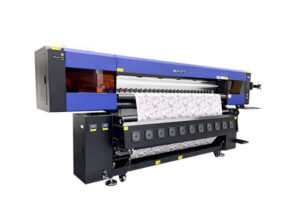
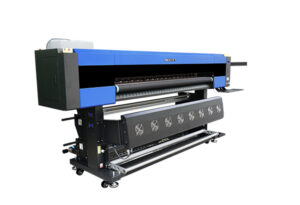
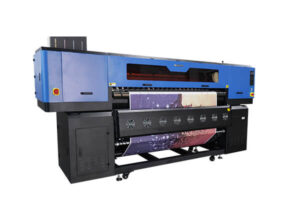
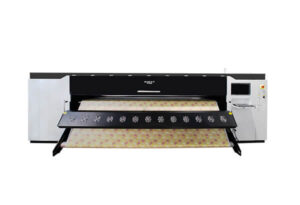
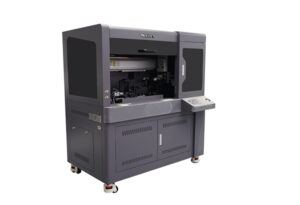
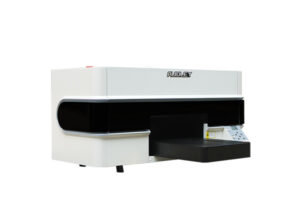
The AUDLEY 2513 UV flatbed printer features a large-format platform and a vision positioning system designed to support precise placement for suitable printing applications.
The objective is straightforward: identify where the design should go before printing starts.
3. Add the Design and Adjust Its Position
Once the plate has been located, the next step is preparing the artwork.
The operator imports the design, checks its size, and adjusts its position to match the intended printing area. This is particularly important for decorative plates, where a small alignment error can make a finished product look noticeably different from the original design.
Before printing, several details deserve attention:
Artwork size: Confirm that the design fits the available surface.
Position: Check the distance between the artwork and the plate’s edges.
Surface profile: Identify raised sections and areas where the printing distance may change.
Material suitability: Confirm that the plate material is compatible with the selected UV ink and printing process.
Print clearance: Ensure that the high-gap setup is suitable for the object’s actual height.
Taking these steps before printing helps reduce avoidable mistakes and material waste.
For customized products, preparation is not wasted time. It is part of producing a result that customers can confidently approve.
4. How High-Gap UV Printing Handles Height Differences
Printing on a surface with noticeable height differences requires more attention than printing on a completely flat board.
The printhead needs an appropriate clearance from the material. If the distance is unsuitable, print quality may become inconsistent, and the risk of contact with the object can increase.
A high-gap printing setup is intended to accommodate applications where the printing surface sits higher than it would in a conventional flatbed workflow. However, the achievable result depends on the machine configuration, object geometry, printing distance, ink behavior, and artwork.
With the AUDLEY 2513 UV flatbed printer, businesses can explore these applications using a suitable setup and carefully prepared workflow.
It is important to distinguish between positioning accuracy and surface-height capability. A vision system helps locate an object and align the design; it does not automatically guarantee that every point on a complex three-dimensional surface can be printed equally well.
Before accepting a production order, operators should check the object’s maximum height, the height variation across the printing area, and the recommended operating clearance. A small test print is a practical way to confirm the expected result.
5. Clear Details Create More Opportunities for Custom Printing
When positioning and printing distance are properly managed, UV printing can produce colorful designs with defined edges and fine visual details on compatible materials.
This opens possibilities for businesses that serve customers looking for more than standard flat graphics.
Potential applications include decorative plates, customized promotional products, personalized gifts, branded display items, and selected products with raised surfaces.
For example, a gift supplier may want to offer customized plates for special occasions. An advertising company may receive an order for branded merchandise. A product customization business may want to test a new design on an unusual surface.
Each application needs its own material and process evaluation, but the commercial opportunity is similar: a print shop can offer more specialized services instead of relying entirely on ordinary flat products.
The key is to demonstrate the result with a real sample. Customers can see the detail, evaluate the placement, and decide whether the finished product meets their expectations.
8. Turn Challenging Printing Jobs into New Business Opportunities
Difficult orders do not always need to be rejected. Sometimes they are an opportunity to develop a new service.
The AUDLEY 2513 UV flatbed printer combines a large-format platform with a visual positioning workflow, making it relevant to businesses exploring customized products and more demanding printing applications.
A practical workflow begins with inspecting the object, scanning and locating its position, adjusting the artwork, checking the available print clearance, and testing the result before moving into production.
This approach helps businesses make informed decisions about unusual products rather than relying on guesswork.
For print shops, the potential benefits go beyond a single plate. The same problem-solving mindset can help identify new opportunities in promotional products, decorative items, personalized gifts, and other compatible UV printing applications.
Before committing to a large order, confirm the material, surface profile, print area, and required result with a sample. This helps set realistic expectations and gives both the supplier and customer a clearer basis for production.
High-gap printing made practical. More applications to explore. More opportunities for your printing business.
Frequently Asked Questions
Can a UV flatbed printer print on a plate with different surface heights?
It may be possible when the object, machine configuration, and high-gap printing setup are suitable. The actual height variation and printing clearance should be checked before production.
Why scan the plate before printing?
Scanning and visual positioning help identify the object’s location so that the artwork can be aligned more accurately with the intended printing area.
Does visual positioning automatically solve height differences?
No. Visual positioning helps with location and alignment. Surface-height differences require a suitable printing setup and must remain within the machine’s operating limits.
What should I check before printing on an uneven plate?
Check material compatibility, maximum object height, surface profile, artwork placement, printhead clearance, and whether the ink can adhere properly to the surface.
Which businesses can benefit from high-gap UV printing?
Businesses producing customized gifts, promotional items, decorative products, and selected products with uneven surfaces may find this capability useful when the application is compatible.