




1. Why UV Ink Adhesion Matters In Real Production
UV printing is widely used for advertising, packaging, gifts, signage, decoration and industrial product customization. It allows users to print directly on many materials, including acrylic, glass, wood, metal, ceramic, leather, PVC, paper boards and foam boards. AUDLEY 2513 UV flatbed printer page also lists applications for acrylic, glass, wood, metal, ceramic, leather, advertising boards and customized products.
However, good color is not enough. If the ink does not adhere well, the printed image may scratch, peel, fade, or fail during customer use. For print shops, poor adhesion means more waste, more rework and more customer complaints.
That is why UV ink adhesion should be treated as part of the production workflow, not just a technical detail. A stable result depends on the material surface, ink type, curing strength, printer settings, environment and operator habits.
For advertising shops and customization businesses, improving adhesion can help reduce failed orders and support more reliable production.

2. Start With The Material Surface
Most UV ink adhesion problems start before printing begins.
Many materials look clean, but the surface may contain dust, oil, moisture, release agents, fingerprints or protective film residue. These invisible problems can reduce ink bonding and affect the final result.
Before printing, operators should clean the surface carefully. For acrylic, glass and metal, this usually means removing dust and oil before placing the material on the platform. For wood and porous materials, users should also check whether the surface is too rough, too dusty or uneven.
In many UV printing workshops, operators may focus only on the printer and forget the material. However, adhesion is a surface problem first. Even a good UV printer cannot create stable adhesion on a contaminated surface.
Therefore, a simple cleaning step can make a clear difference in production quality.
3. Use Primer When Printing Difficult Materials
Some materials have naturally poor ink adhesion. Glass, metal, ceramic, smooth acrylic and some plastics are common examples. These surfaces are often dense, smooth and low-absorption. As a result, UV ink may sit on the surface without bonding strongly enough.
In these cases, primer can help.
Primer works as a bridge between the material and the UV ink. It improves surface bonding and helps the printed layer stay more stable after curing. This is especially useful for products that will be touched frequently, cleaned regularly or used outdoors.
However, primer should not be used randomly. Different materials may need different primer types, and too much primer can affect image quality or surface finish. For best results, users should test the material first and confirm the correct primer method before batch production.
For customers printing glass panels, metal plates, acrylic signs, packaging boxes or promotional gifts, primer testing is an important step for improving UV ink adhesion.
4. Control UV Curing Strength And Printing Settings
UV ink cures under UV light. If the curing process is too weak, the ink may not fully harden. If curing is too strong, the surface may become brittle or affect layered printing effects.
Therefore, curing control is important.
Operators should adjust lamp power, print speed and layer settings according to the material and application. For example, a thick varnish effect may need different curing control from a simple color image. Transparent materials may also need different handling from white boards or wood panels.
AUDLEY UV printer products support different UV printing directions. For example, the 1413 UV flatbed printer page highlights CMYK, white ink and varnish printing for glossy effects and layered texture effects. The 6090-3(Pro) UV printer page also describes flatbed, roll-to-roll, cylinder and crystal label printing capabilities, with Epson I3200-U1 and U1HD printhead configurations for fine detail output.
These functions give users more application flexibility. At the same time, they require proper parameter control. Good adhesion comes from the right balance between ink volume, print pass, curing strength and material surface.
5. White Ink And Varnish Layers Need Extra Attention
White ink and varnish are important in UV printing. White ink helps improve color brightness on transparent, dark or colored materials. Varnish can create gloss, texture and raised effects. AUDLEY 2513 UV flatbed printer news page also mentions color, white ink and varnish printing for wide application needs.
However, layered printing also increases the need for adhesion control.
If the white ink layer does not bond well with the material, the color layer above it may also become unstable. If the varnish layer is too thick or not cured properly, it may peel or crack under friction.
To improve results, operators should avoid excessive ink buildup unless the application requires it. They should also test the curing effect between layers, especially when printing white + color + varnish.
For premium products such as acrylic signs, glass decoration, gift packaging, phone cases and nameplates, this step matters. Customers often touch these products closely, so the surface needs to look good and stay stable.
6. Choose The Right AUDLEY UV Printer For The Application
Different UV printing applications require different equipment choices.
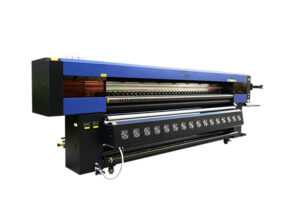
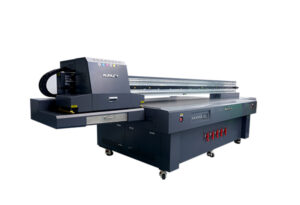
For large-format boards, signage and decoration materials, the AUDLEY 2513 UV flatbed printer offers a 2500 × 1300 mm printing platform and supports applications such as acrylic, glass, wood, metal, ceramic tiles and advertising boards.
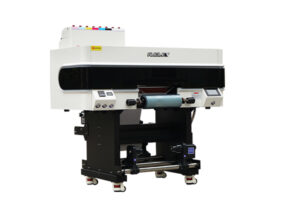
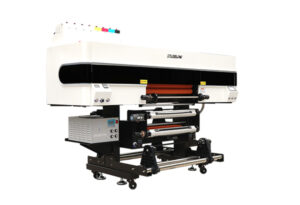
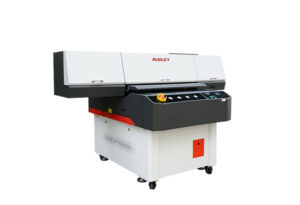
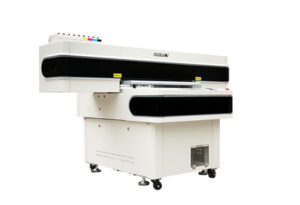
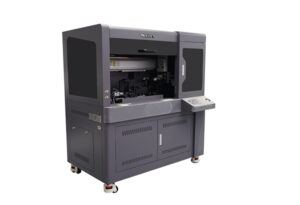
For medium-format commercial customization, AUDLEY 6090 series UV printers can support flatbed printing, cylinder printing, roll-to-roll printing and crystal label applications depending on the model. The 6090-3(A) product page describes hybrid functions for flatbed, roll-to-roll, crystal label and cylinder printing.
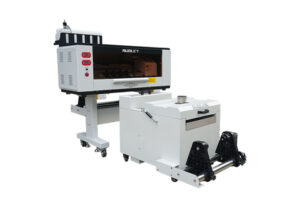
For customers focused on UV DTF crystal labels, AUDLEY 8074-3 UV DTF printer uses Epson I3200-U1 printheads and includes white ink circulation, laminating and hot stamping-related systems.
Choosing the right printer matters because different applications place different demands on adhesion. Printing on glass is not the same as printing on PVC. Printing on a flat board is not the same as printing on a cylinder. A suitable machine configuration helps users build a more stable workflow.
7. Test Before Batch Production
UV printing involves many variables. Material brands, surface coatings, temperature, humidity, ink thickness and curing settings can all affect adhesion.
For this reason, testing is necessary.
Before printing a large order, operators should run a small sample test. After curing, they can check adhesion with simple methods such as scratch testing, tape testing, bending testing or cleaning resistance testing, depending on the final product use.
If the ink lifts or scratches too easily, the operator should adjust the workflow. Possible changes include better cleaning, using primer, reducing ink thickness, adjusting curing power or changing the print mode.
This process may take time, but it saves more time later. A failed sample is much cheaper than a failed batch order.
8. Build A More Reliable UV Printing Workflow With AUDLEY
Improving UV ink adhesion is not about one single trick. It is about building a complete and repeatable workflow.
A reliable workflow should include material checking, surface cleaning, primer testing, correct print settings, proper curing, white ink and varnish control, and final quality inspection. When these steps work together, UV printing becomes more stable.
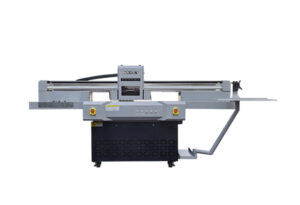
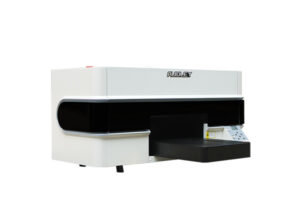
AUDLEY UV printers are designed for different production needs, including advertising signs, acrylic printing, glass decoration, packaging, gifts, cylinders, crystal labels and industrial customization. The AUDLEY UV printer category includes multiple UV printer options such as 2513, 1413, 6090, 9060 and A3 UV models for different application markets.
For print shops, the value of improving adhesion is clear. It helps reduce waste, improve customer satisfaction and make more applications possible. More importantly, it helps the business accept higher-value UV printing orders with greater confidence.
FAQ
Why does UV ink adhesion fail?
UV ink adhesion may fail because of dust, oil, moisture, wrong material treatment, weak curing, excessive ink thickness or poor surface compatibility.
How can I improve UV ink adhesion on glass?
Clean the glass surface carefully, remove oil and dust, test a suitable primer, control ink thickness and make sure the UV curing strength matches the application.
Does acrylic need primer for UV printing?
Some acrylic materials print well after cleaning, while others may need primer. It depends on the surface type, coating and final use. Testing before batch production is recommended.
Can UV printing be used on metal?
Yes. UV printing can be used on metal, but smooth metal surfaces often need cleaning and primer testing to improve adhesion.
Why is curing important for UV ink adhesion?
UV ink needs proper curing to harden and bond to the surface. Weak curing may leave the ink unstable, while excessive curing may affect texture or layered effects.
Which AUDLEY UV printer is suitable for adhesion-sensitive applications?
It depends on the material and order type. AUDLEY 2513 is suitable for large-format boards and industrial materials, while 6090 and 9060 series can support smaller flatbed, cylinder and crystal label applications.
Conclusion
UV ink adhesion is one of the most important factors in UV printing quality. A sharp image is not enough if the print cannot stay on the product surface.
By cleaning materials correctly, using primer when needed, controlling curing strength, managing white ink and varnish layers, and testing before batch production, print shops can improve UV printing stability and reduce failed orders.
For customers printing acrylic, glass, metal, wood, PVC, packaging, gifts or signage products, AUDLEY UV printers provide practical equipment options for different production needs. With the right workflow and the right machine, UV printing can become a reliable solution for high-value customization and commercial production.


-UV-Printer-1.jpg.webp)